Import Tests
BQ platform allows user to import the test cases in two ways :
- From an external .bqo File
- Directly from some other application
Prerequisite
- User should be on the Import Export Test screen
- User should be under the Import Test Cases tab
Instructions
I - From File :
Select ‘From File’ in the Import from dropdown & select the file to import the test case from (.bqo file) by clicking on the Browse button.
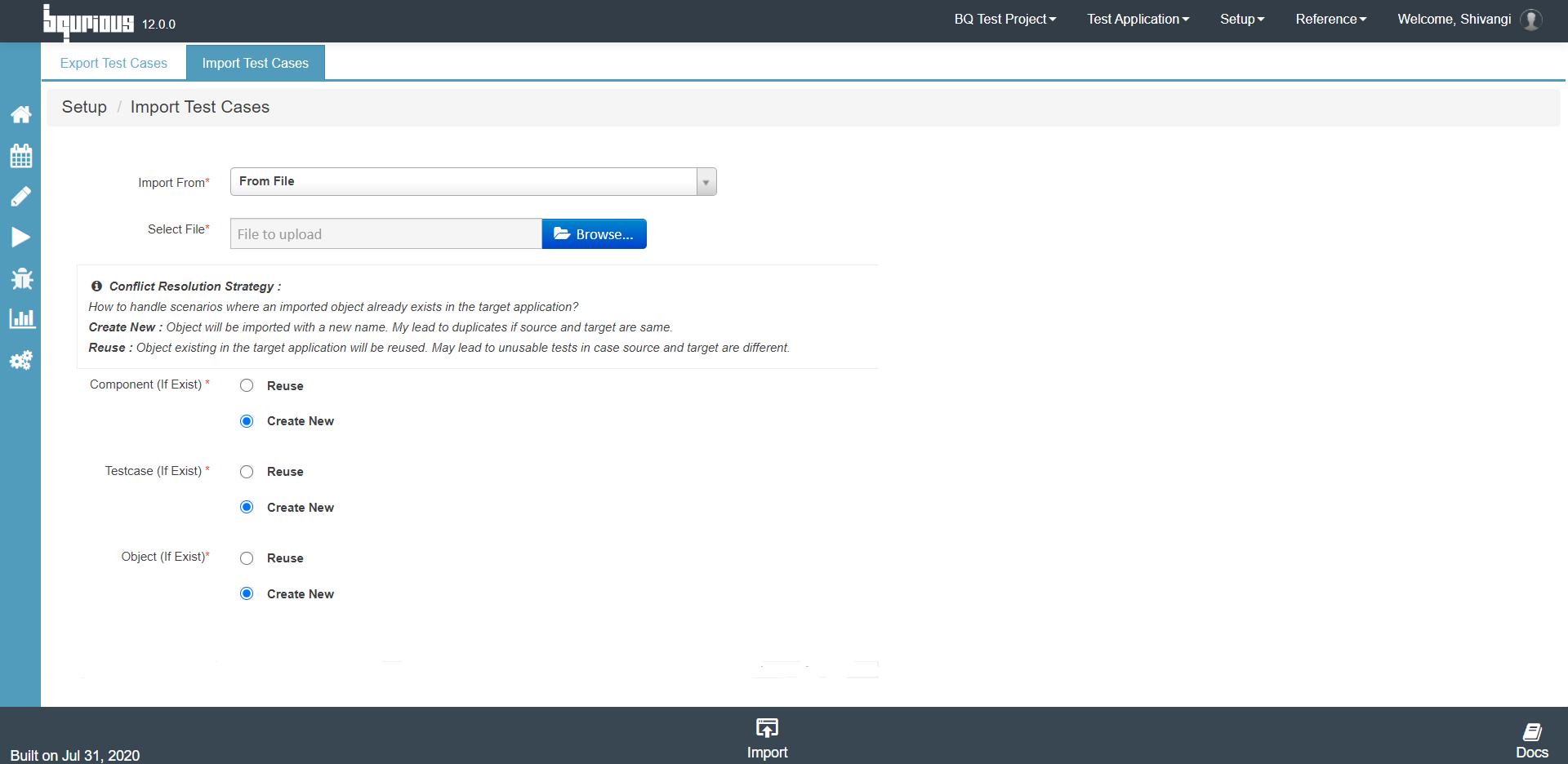
Click on the Import button.
II - From Other Application :
Select ‘From Other application’ in the Import from dropdown.
Select the application to import the test case from & select the test case.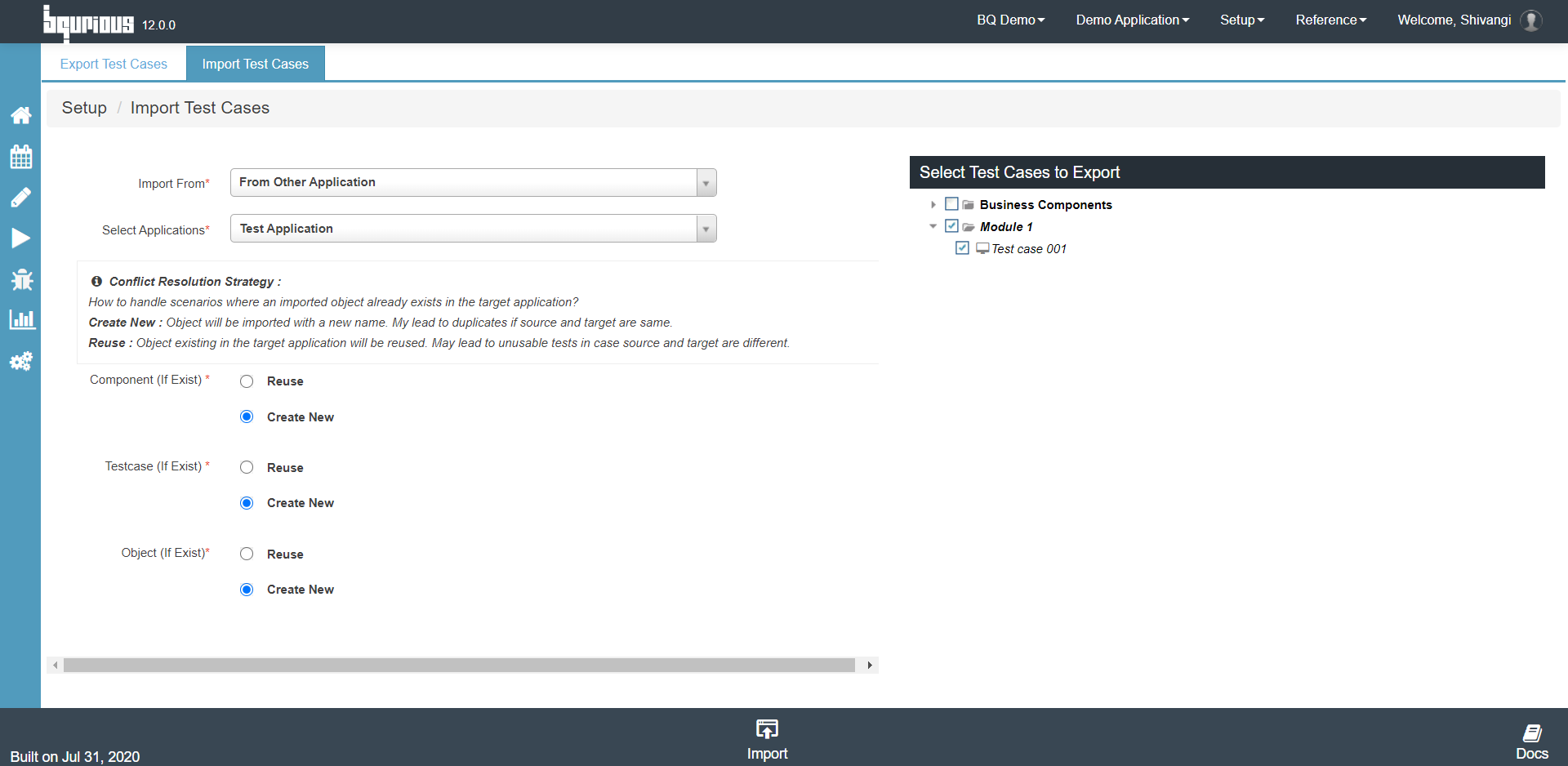
Click on the Import button and the test case should be imported successfully.